


Free

The notebook and the spreadsheet, in your pocket

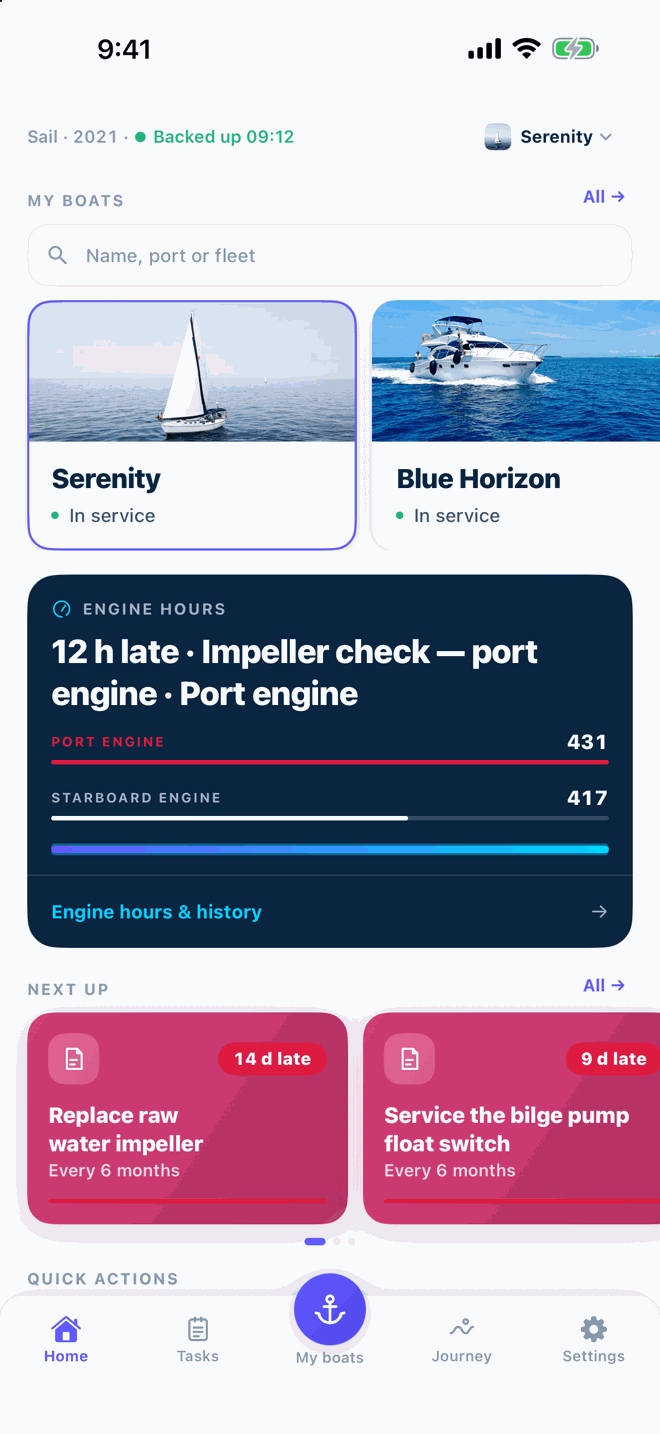
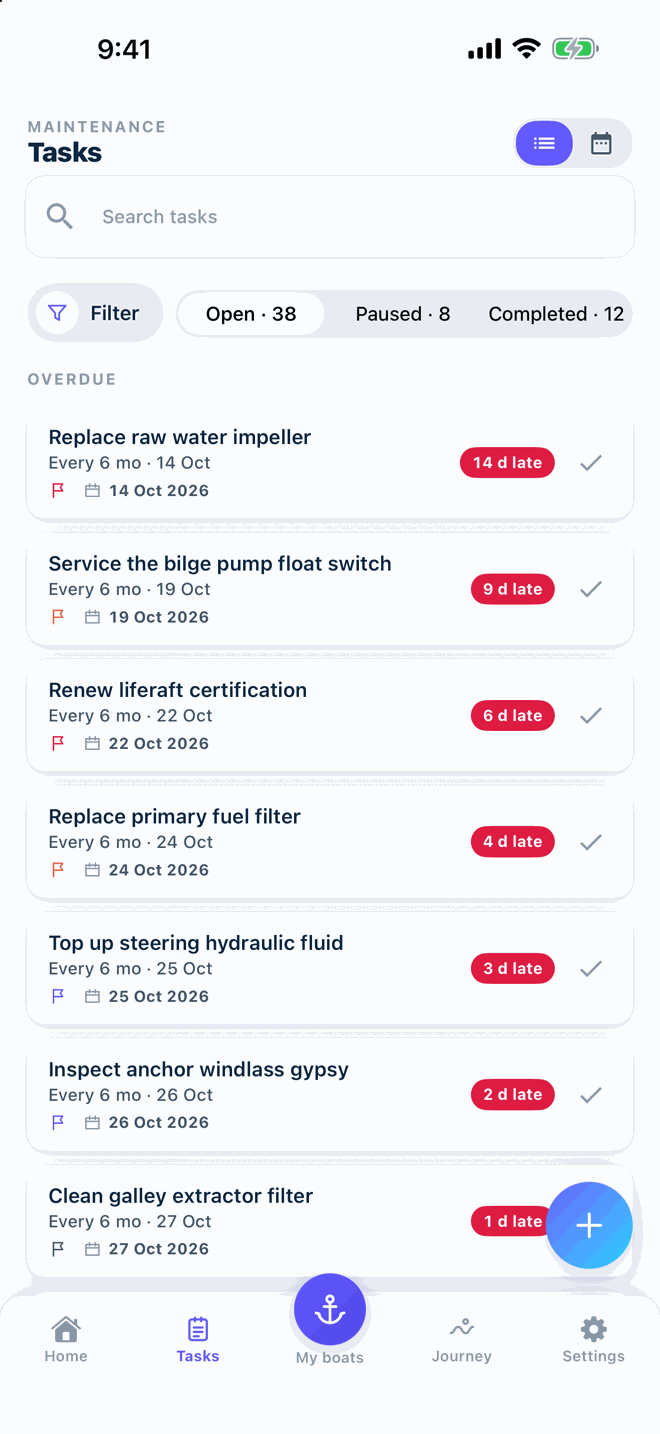
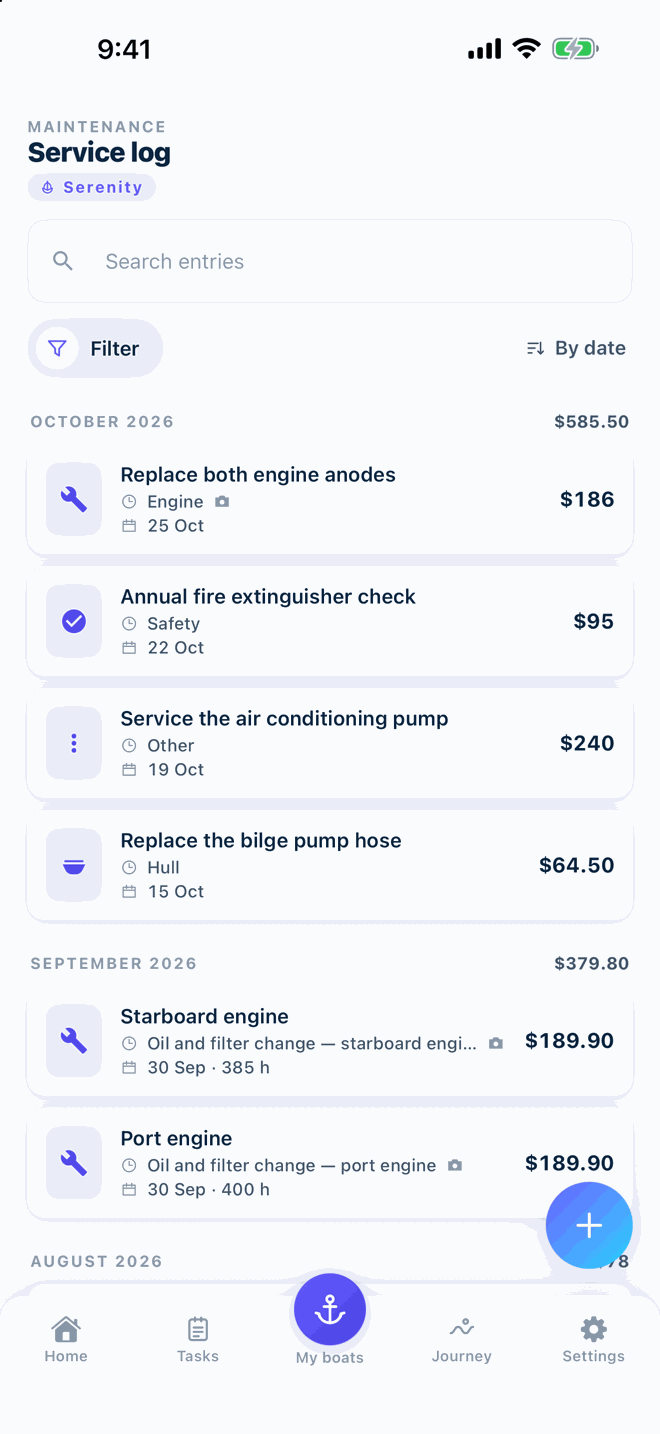
One place for the hours on each engine, what was done, what it cost and what is due next. Add a job at the dock in a few taps; the receipt goes with it.

  • Up to 3 boats
  • Works offline
  • No account needed
Download on the App Store — Coming soon to the App StoreComing soon to the App Store Get it on Google Play
QRScan to download
App screen S-01

A year with your boat, in the app

Nothing here is new; these are the modules you already saw, lined up in the order a season actually happens.

  1. Commissioning from a checklist

    Free

    Start from the spring commissioning template, edit it to your boat and tick items off at the yard. Next year, copy it and go again.

    Checklists
    App screen S-12
    Screenshot coming · S-12
  2. Engine hours and the next service

    Free

    Update the hour counter after each trip. Reminders count down in hours or in days, and you get a notification when the oil change is due.

    Maintenance & reminders
    App screen S-03
  3. Winterizing, with the receipts

    Free

    Log the haul-out, the antifreeze and the shrink wrap, and photograph each receipt. In spring you know exactly where you left off.

    Photos, receipts and cost on each record
    App screen S-05
  4. A Boat CV for the buyer

    Pro

    One tap builds a PDF of the whole service history with photos and receipts, ready for a buyer or surveyor. The plain PDF and CSV export are free.

    Boat CV PDF
    App screen S-09
    Screenshot coming · S-09

Install, name the boat, enter one record

No account, no sign-up. The setup step can be skipped and finished later.

  1. 1
    Install

    From Google Play or the App Store. Open the app; you are on the dashboard.

  2. 2
    Set up your boat

    Name, engine, current hours. Skip for now if you are in a hurry.

  3. 3
    Enter the first record

    The last oil change, with the date and hours. Reminders start counting from there.

Getting started

Yours to keep, yours to take with you

  • Your data stays on your phoneBoats outside a fleet never leave your device. There is nothing to sign up for.
  • PDF and CSV export, freeExport the full history any time, on the Free plan too. Leave whenever you like and take everything.
  • Works offlineAdd records and tick tasks without signal; everything stays on your phone.

Up to 3 boats free

Pro adds analytics, the Boat CV PDF and cloud backup, billed yearly with a 14-day free trial.

Free

Free

Everything you need for up to three boats.

Free Up to 3 boats
  • Maintenance tasks and service history
  • Engine-hour and calendar reminders
  • Engine hours and readings
  • Documents with expiry alerts
  • Checklists and templates
  • Logbook and fuel log
  • Inventory and equipment
  • PDF and CSV export
  • 15 AI Mechanic messages per month

Prices in USD; local prices may vary. Subscriptions renew automatically and can be cancelled in the App Store or Google Play. Pricing

Questions owners ask

Is Vessly free? What is included?

Yes. The Free plan covers up to three boats with maintenance tasks, engine-hour and calendar reminders, service history with photos and receipts, documents, checklists, inventory, logbook and PDF/CSV export. Pro adds expense analytics, the Boat CV PDF, cloud backup and a larger AI Mechanic allowance.

Do I need an account?

No. Install and start. An account is only needed for Fleet, where several people share boats and changes sync between phones.

Which currency does the app use?

One currency per app, chosen in Settings. Prices on this site are in US dollars; store prices may vary by country.

All questions

Start with your boat today

Download on the App Store — Coming soon to the App StoreComing soon to the App Store Get it on Google Play
QRScan to download

Three boats free · works offline · no account needed